Skip to content
Dorak
Clinic queue system

Your patients know their turn,from their phone.

One WhatsApp link shows their number, how many are ahead and the estimated wait.

Your number is 8. Now serving number 7, one patient is ahead of you, and the estimated wait is about 15 minutes. The numbers change as you watch.
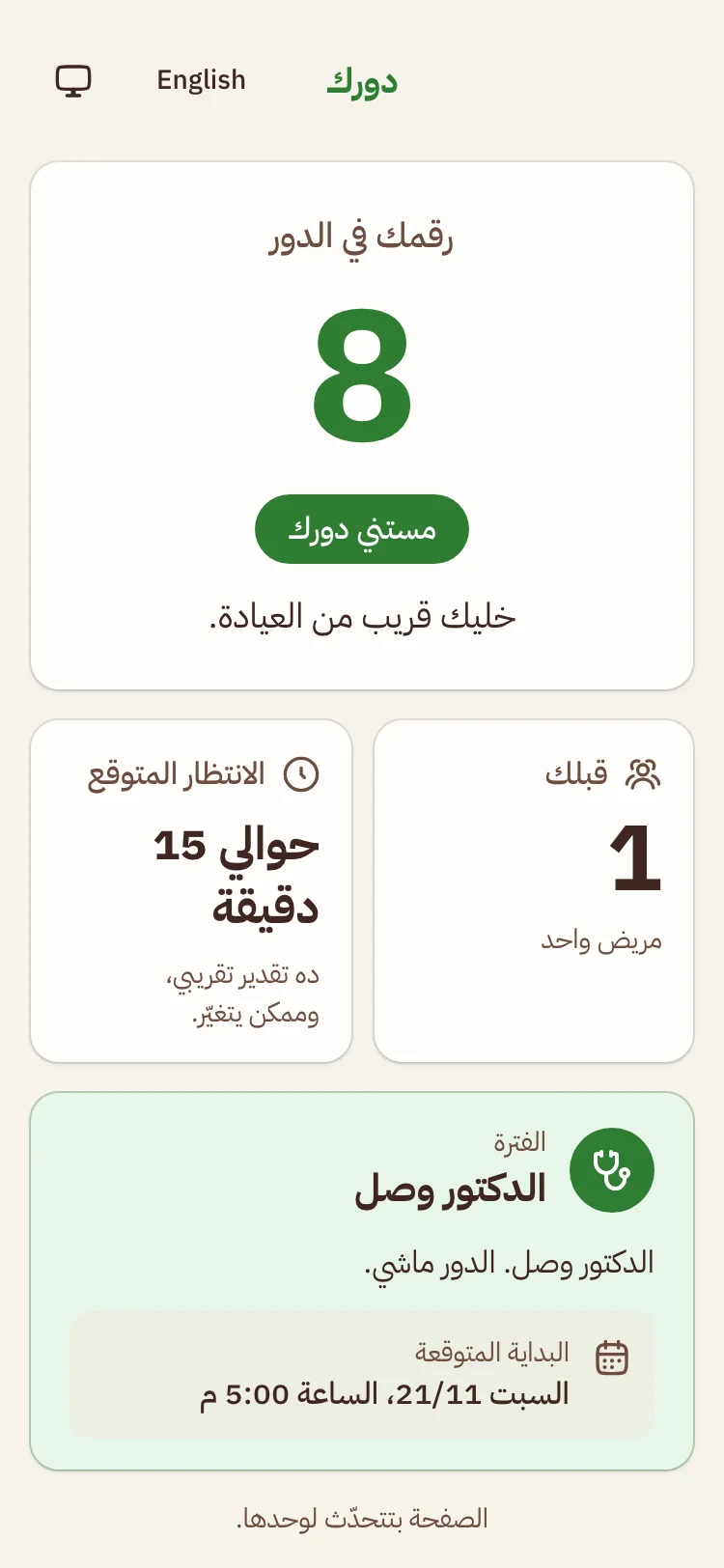
The patient page in Dorak: number 8, one patient ahead, about 15 minutes of waiting.
The problem

The patient sits there, not knowing their turn.

  • How many are left?
  • A crowded reception
  • Phone calls all day
The fix

Before Dorak and after

Before: messy numbers and many calls. After: ordered numbers and a clear turn.

Before Dorak

  • Paper and chats
  • Asked every minute
  • A crowded reception

After Dorak

  • A link on the patient’s phone
  • One screen for the secretary
  • The wait, in minutes
How it works

4 steps, from setup to the last patient

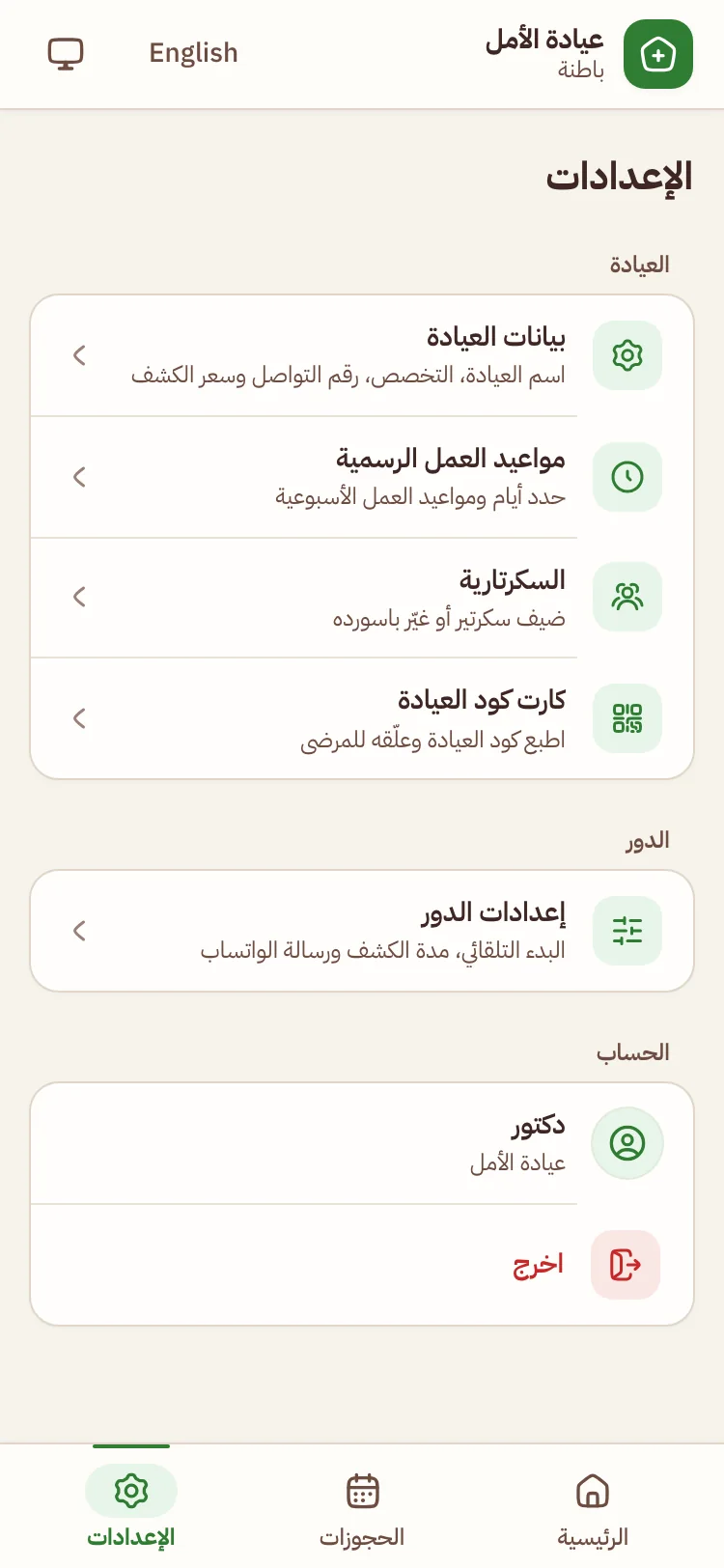
  1. The clinic settings screen for the doctor1The doctor sets up the clinicClinic details, working hours and the secretary’s account.
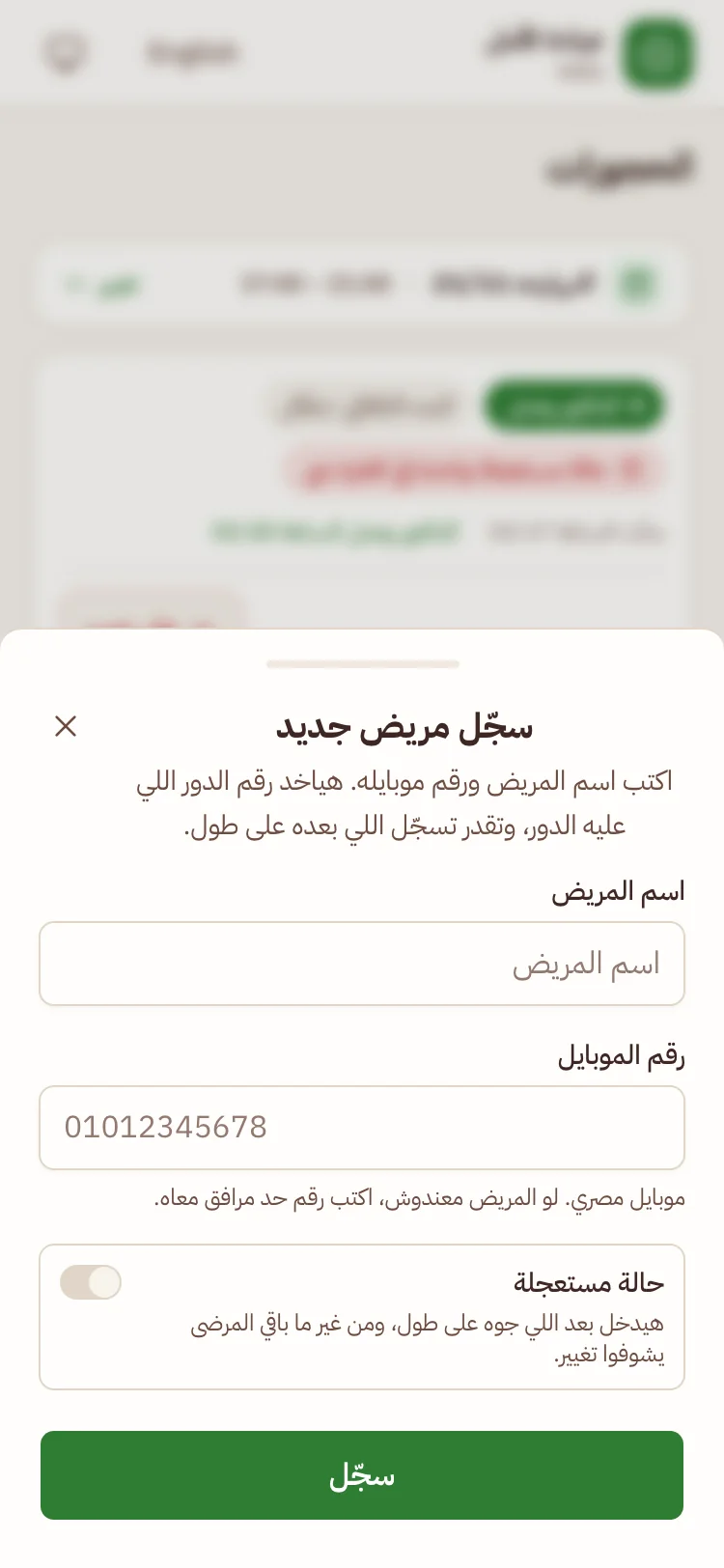
  2. The new patient screen for the secretary2The secretary registers the patientA name and a number. The WhatsApp link is ready to send.
  3. The patient page: queue number and how many are ahead3The patient opens the linkSees their turn and the wait. No app.
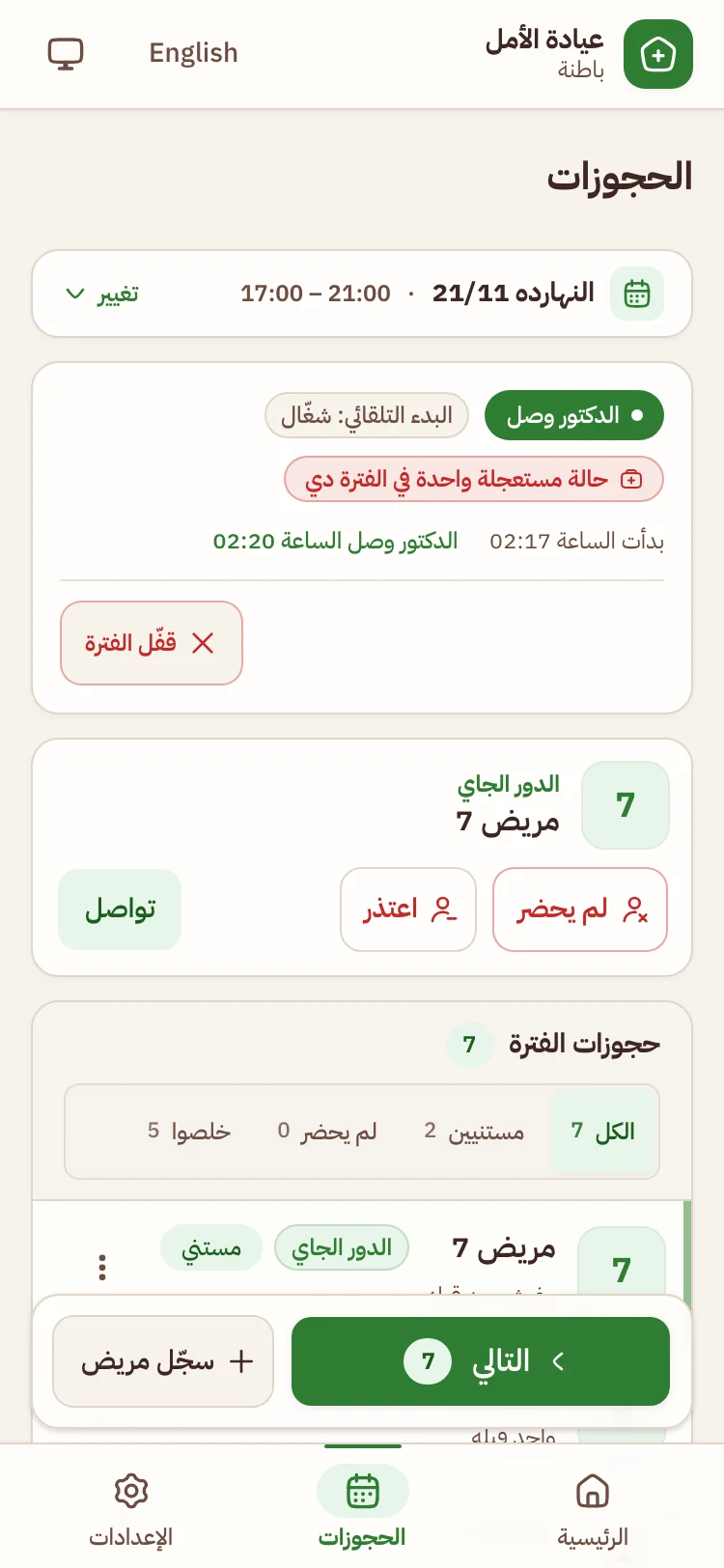
  4. The queue screen for the secretary on a phone4The queue movesNext and done, and the page updates itself.
A screen for each

A screen for each of them

DoctorSet up once, and it runs

  • Clinic details and working hours
  • Secretary accounts
  • A QR card to print and hang
The clinic settings list for the doctor on a phone
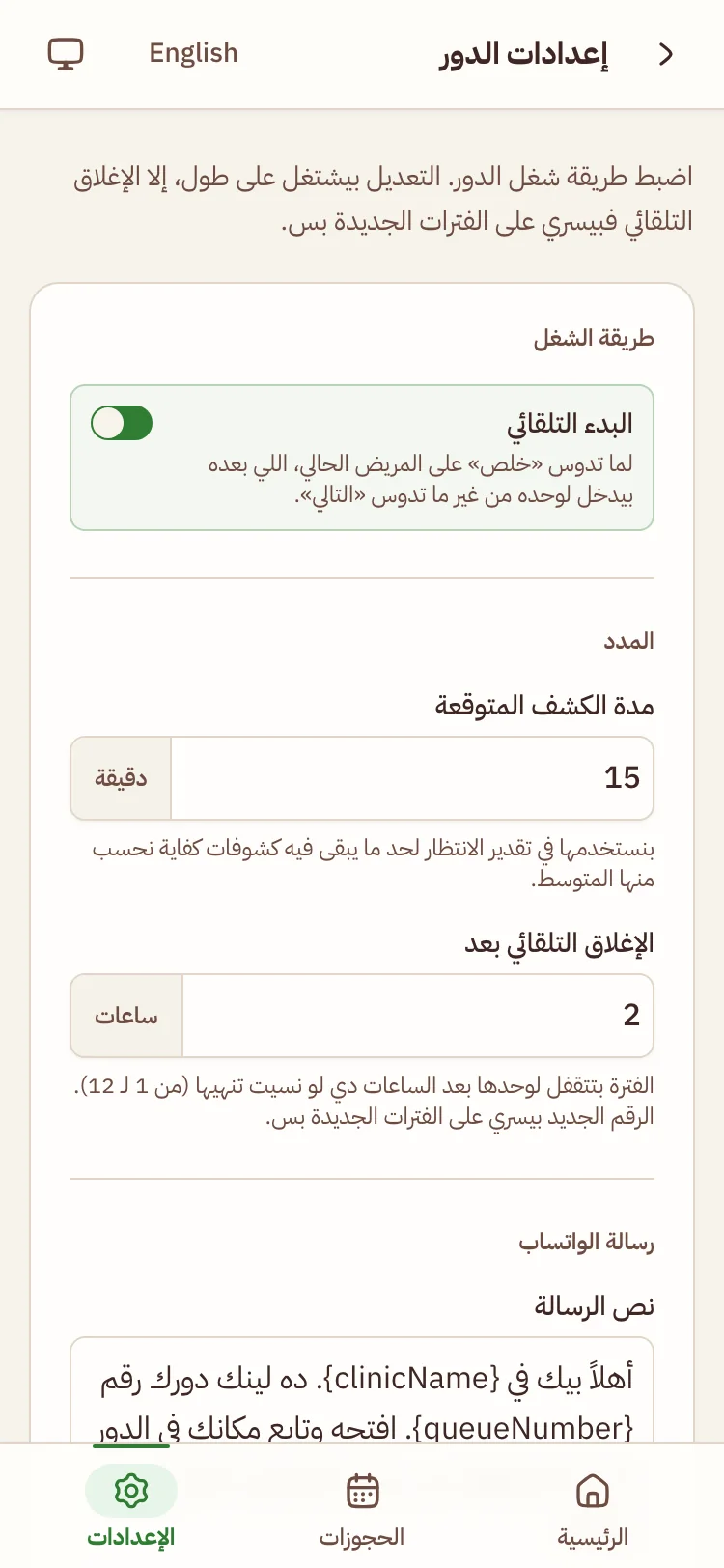
Queue settings: auto-start and consultation time

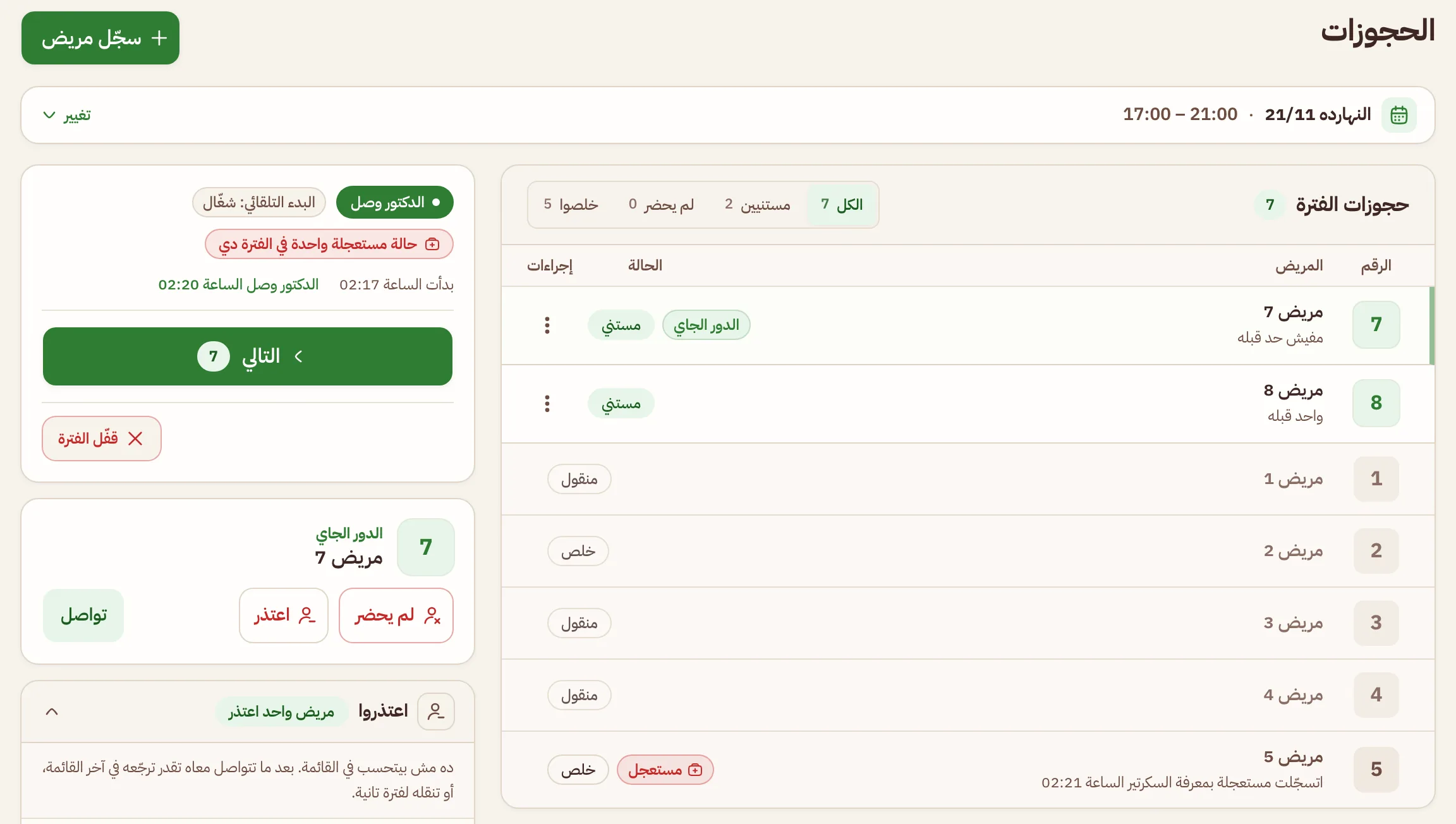
SecretaryOne screen instead of paper and chats

  • Registers a patient in seconds
  • Sends the link on WhatsApp
  • Next, done, absent
The queue screen for the secretary on a computer
The queue screen for the secretary on a phone

PatientKnows their turn from their phone

  • Their number and how many are ahead
  • The estimated wait, in minutes
  • Nobody else’s data
The patient page in Dorak on a phone
  • No app to install
  • Fully in Arabic
  • Works on any phone
  • Patient privacy kept
FAQ

Questions people ask

No. They open the link in their phone browser and see their turn right away. No app, no account, no password.

Let’s start

Set up your clinic, and let patients see their turn.

Install the app

Installing is optional for the doctor and the secretary. Patients install nothing.